


Light Crown Photo Editor
4.28.31K Reviews
App Specs
- Version
- 1.6.2
- Updated On
- License
- Free
- Downloads
- 1,000,000+
- Developer
- Photo Collage Master
- Categories
- Beauty
- Platform
- Android
Screenshots
 Analysis by AppCompare
When I stumbled upon the Light Crown Photo Editor, I was instantly intrigued. Who wouldn't want to add a dazzling crown of light to their photos? Whether you're looking to jazz up your selfies or give your landscape shots a heavenly glow, this app promises to do it all. So, I decided to dive in and see if it lives up to the hype.
A focused effect with a clear purpose
The defining idea here is simple: a light crown becomes a decorative focal point, rather than a general-purpose filter applied across the whole image. That changes how I think about using the editor. It works best when there is a clear subject and enough visual space around them for the glow to read as an intentional accent. On a busy picture, the same effect can compete with the face or scenery instead of enhancing it.
I’d treat the crown as a finishing detail, not the starting point for every edit. First choose a photo whose lighting and composition already work, then try a subtle placement and build from there. A halo that follows the subject’s outline can feel playful or dreamy; a bright ring placed without regard to the image’s existing light may look pasted on. The practical difference comes less from choosing the most dramatic effect and more from matching its color and strength to the photograph.
First Impressions and User Interface
Opening the Light Crown Photo Editor was like stepping into a digital art studio. The interface is sleek and user-friendly, making it easy for even the most tech-averse among us to navigate. Everything is laid out intuitively, with all the tools and options right at your fingertips. You don't need to be a pro to start creating stunning visual effects.
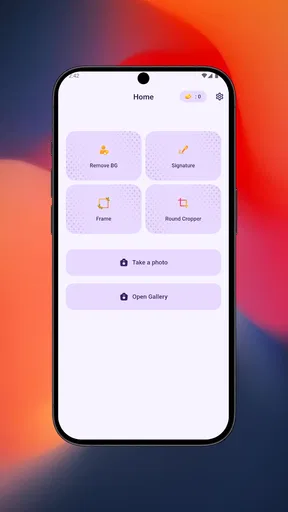
The main screen greets you with options to either take a new photo or choose one from your gallery. Once you've picked your photo, you're whisked away to the editing suite. The simplicity here is worth noting; there’s no overwhelming barrage of options, just a clean, streamlined path to creativity.
The Crown Jewels: Features and Tools
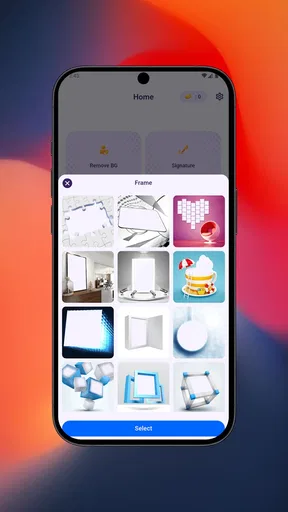
The app’s main attraction is its various light crown effects. From soft halos to vibrant neon rings, the selection is impressive. You can easily adjust the size, brightness, and color of each crown to perfectly suit your photo. The pinch-and-zoom feature allows for precise placement, ensuring your crown sits just right.
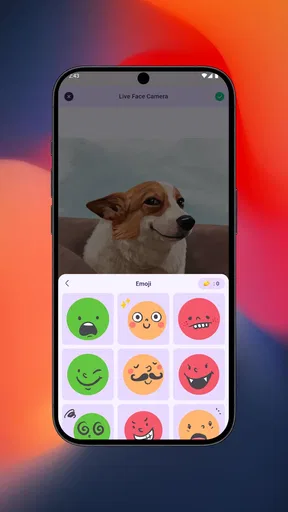
But it doesn't stop at crowns. The app also includes a range of other effects such as sparkles, glitter, and light leaks. You can layer these to create a truly unique masterpiece. Additionally, there are basic editing tools like cropping, brightness, and contrast adjustments, which are handy for those final touches.
Worth Reading Before You Choose

EA SPORTS FC Mobile 26 Is a Bigger Football Game, but It Takes Time

Flipboard Shows What News Apps Must Do Beyond the Feed

Switching to Android Auto Means Rethinking Your Driving Routine

Google Calendar Makes a Crowded Week Easier to Manage

Ludo King Makes the Most of the Minutes Between Plans

Baby Panda World Brings Quick Play to Modern Phones, but Its Game Library Feels Busy
Making the effect sit naturally
For a more convincing result, I’d make the crown fit the subject before adding any extra decoration. Pinch to resize it around the head or focal area, then check the image at its normal viewing size rather than judging only while zoomed in. A detail that looks delicate close up can dominate a small social-media preview. Lower brightness or choose a softer color when the crown draws attention away from the expression.
There’s also a useful order to the available tools. A small crop can improve the balance before placing the effect, while brightness and contrast adjustments afterward can help the edited area feel less separate from the original photo. I’d add sparkles or glitter sparingly: one clear visual accent often looks more deliberate than several competing ones. This is a hands-on editor, so it rewards a little experimentation; it is not a one-tap correction tool that automatically understands the scene.
Performance and Usability
Now, let’s talk performance. The app runs smoothly with hardly any lag, even on older devices. It’s a lightweight download, so it doesn’t hog your phone’s memory or battery. I tested it on both Android and iOS, and it performed consistently well across both platforms.
One feature I particularly appreciated was the undo button. It’s a lifesaver for those moments when you accidentally make a change you’re not happy with. The ability to revert to previous steps without losing your progress is a thoughtful touch.
A realistic use for an ordinary day
Imagine taking a quick portrait before meeting friends and wanting to make it feel a little more festive for a group chat or a profile update. I’d pick a photo with a simple background, crop out distractions, add a restrained halo, and inspect the result at the size it will actually be viewed. If the crown still feels like the subject belongs in the scene, I’d save it; if it looks like a sticker, I’d undo the effect or start with a different picture. That quick comparison is more useful than adding several decorations and hoping they blend.
The same approach suits a birthday selfie, a themed post, or a playful portrait for a private message. It is less suited to a formal headshot, a product image where accuracy matters, or a landscape meant to preserve a natural look. In those cases, even an attractive light effect may change the mood too much. The app’s distinctive treatment is a strength when you want visible fantasy, but it is not a substitute for careful color correction or realistic retouching.
Where it fits among photo editors
Compared with a typical all-purpose photo editor, this app has a narrower creative identity. A broad editor is usually the better choice when the main job is correcting exposure, refining skin tones, or making consistent adjustments across many pictures. Here, the appeal is the specific decorative treatment and the direct controls for shaping it. If you already know you want a glowing crown, a focused tool can be quicker to explore than searching through a large collection of unrelated adjustments.
That focus also defines the trade-off. Someone looking for detailed control over every part of an image may find the basic crop, brightness, and contrast tools limiting, and anyone trying to produce a natural-looking portrait may prefer an editor built around subtle corrections. I’d keep this app for expressive one-off edits rather than expecting it to replace a full photo workflow. The best results come when its effect is the point of the picture, not when it is asked to solve every editing need.
Sharing Your Creations
Once you've crafted your masterpiece, sharing it is a breeze. The app integrates seamlessly with social media platforms, so you can post directly to Instagram, Facebook, or wherever your audience awaits. Alternatively, you can save your edits to your device if you prefer to ponder them before unveiling them to the world.
The resolution of the saved and shared images is excellent, maintaining the quality of your original photo. This is crucial for those who want to print their creations or use them in professional portfolios.
Cost, access, and who should choose it
This is a free beauty app from Photo Collage Master, with optional in-app purchases ranging from about fifty cents to one hundred dollars per item. I’d start with the free experience and decide whether the available effects suit your style before spending anything. The price range is broad, so it makes sense to check the cost of a particular purchase in the app before confirming it rather than assuming every extra is a small add-on.
It has an Everyone age rating, and the current version is 1.6.2, with Android support beginning at version 5.0. The app has an average rating of 4.2 from around 56,000 ratings, alongside roughly 8,300 written reviews, and it has been installed over a million times. Those figures suggest an established audience, but they don’t guarantee that its visual style will suit every user. I’d judge it by whether you actually want this particular crown-and-glow look.
It is likely to appeal most to casual portrait editors, people who enjoy decorative effects, and anyone who wants to make a photo feel whimsical without learning a complicated editing workflow. I’d skip it if you need professional retouching, batch editing, precise color management, or a natural result with no visible embellishment. It is also a poor fit when the original photo has no clear subject or is already crowded with bright details, because the crown may add clutter rather than emphasis.
Final Thoughts
In summary, Light Crown Photo Editor is a delightful tool for anyone looking to add a touch of magic to their photos. It’s easy to use, yet packed with features that allow for creative expression. Whether you're a seasoned photographer or just someone who loves playing with images, this app offers something for everyone.
It’s rare to find an app that balances simplicity with such a robust set of features. If you’re on the hunt for a photo editor that brings a little sparkle and shine, give this one a go. You might just find yourself addicted to creating light-crowned masterpieces.
My recommendation
I’d recommend it when you have a specific portrait in mind and want to give it a light, imaginative accent without navigating a complicated editor. Before sharing, compare the decorated image with the original and ask whether the subject remains the first thing you notice. If the answer is yes, the effect is doing its job; if not, reduce it or leave it out. That small check keeps a fun edit from overwhelming the photo.
For occasional creative posts, the free starting point makes it easy to see whether the style clicks with you. For everyday photo correction or polished professional work, I’d choose a broader editing app instead. The crown effect is the reason to try this one, and its value depends on whether that distinctive look is something you genuinely want to use.
Pros
- User-friendly interface makes editing easy.
- Wide range of filters and effects available.
- Supports high-resolution image exports.
- Quick sharing to social media platforms.
- Regular updates with new features.
Cons
- Contains in-app purchases for premium features.
- Occasional ads can be intrusive.
- Limited free templates available.
- Requires internet for full functionality.
- May use significant device storage.
FAQs for Light Crown Photo Editor
What features does Light Crown Photo Editor offer?
Light Crown Photo Editor provides a variety of features including a selection of neon crown effects, filters, and editing tools to enhance your photos. It allows you to adjust brightness, contrast, and saturation, and offers easy-to-use cropping and rotation options. The app also supports layering for more complex edits.
Is Light Crown Photo Editor free to use?
Yes, Light Crown Photo Editor is free to download and use. However, it offers in-app purchases for additional features and effects. These premium options can expand your editing capabilities with more advanced tools and exclusive content, enhancing your overall experience with the app.
Does Light Crown Photo Editor require an internet connection?
Light Crown Photo Editor can be used without an internet connection for basic editing functions. However, to access premium features, download additional effects, or share your creations directly on social media, an internet connection will be necessary. Always check for updates that might require connectivity.
Is Light Crown Photo Editor safe for my device?
Light Crown Photo Editor is designed to be safe, with regular updates to ensure security and stability. It’s important to download the app from official app stores like Google Play or the Apple App Store to avoid any malicious versions. Always check permissions requested during installation to ensure they align with the app’s functionality.
Can I use Light Crown Photo Editor on both Android and iOS?
Yes, Light Crown Photo Editor is available for both Android and iOS devices. This cross-platform availability ensures that users can enjoy the app's features regardless of their device preference. Make sure to check the app store for compatibility with your specific device model and operating system version.


